
Remediation review
Remediation review is separate from diagnosis. A diagnosis can identify a possible cause; a review presents a bounded proposed code change with evidence, checks, findings, limitations, and rollback context.
- Typical time
- 15–30 minutes plus Git review
- You need
- An authorized project remediation link
- Outcome
- A human decision continued in protected Git
Step 1: Open the authorized review link
Section titled “Step 1: Open the authorized review link”Open remediation review from the owning project workflow. The link must contain both the project and remediation-run context. If either is missing, the page shows Review link is incomplete and does not search across projects.
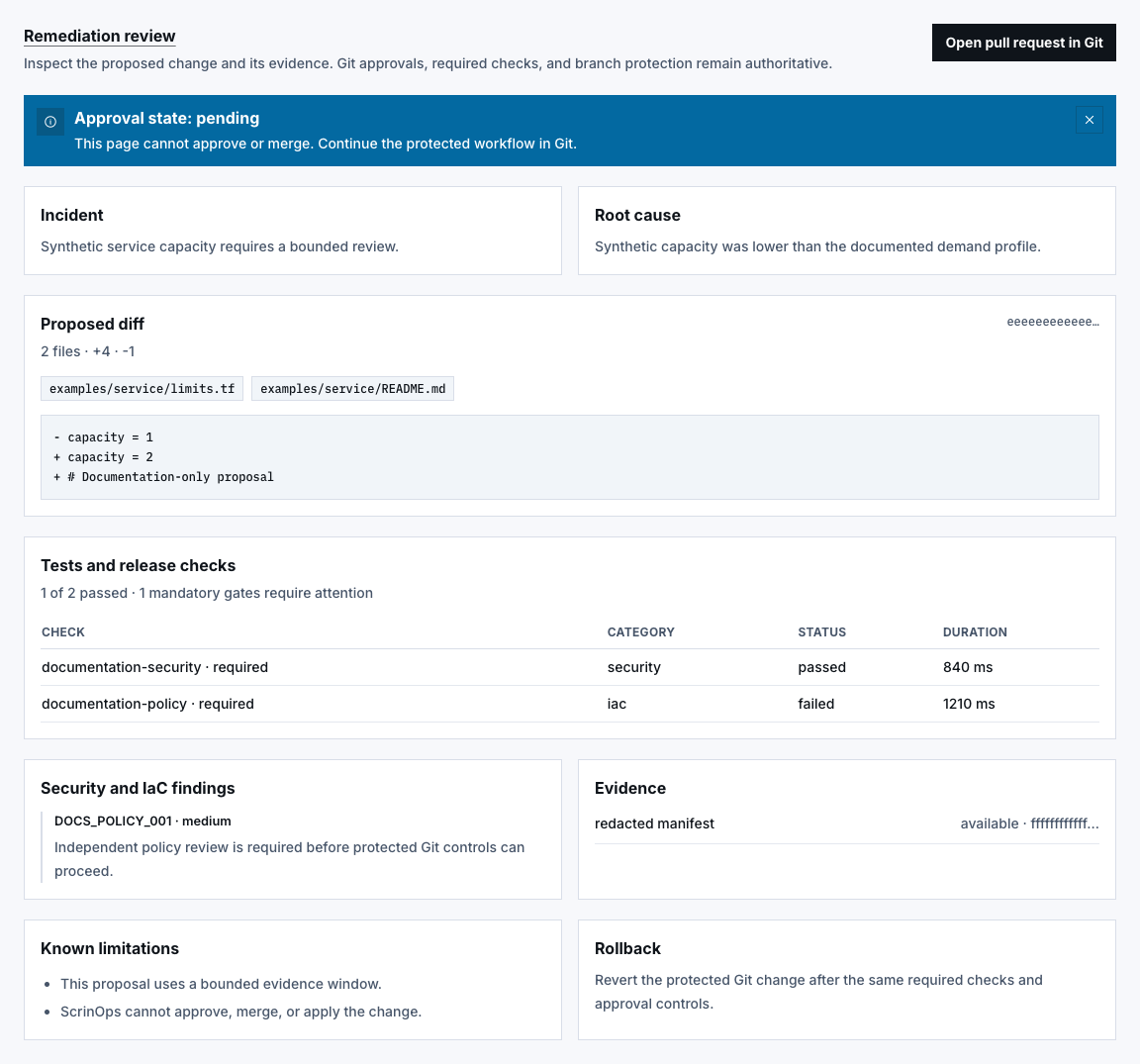
Only organization owners, project owners, or authorized remediation reviewers should receive review data. A scope mismatch is blocked rather than showing a different project’s proposal.
Step 2: Review incident, cause, and approval state
Section titled “Step 2: Review incident, cause, and approval state”Read:
- Approval state: Pending, Approved, or Changes requested;
- Incident summary;
- Root cause summary; and
- the notice that the page cannot approve or merge.
Approval state is informational readback. Git branch protection, required checks, eligible reviewers, and merge policy remain authoritative.
Step 3: Inspect the Proposed diff
Section titled “Step 3: Inspect the Proposed diff”Review the changed-path count, additions, deletions, shortened patch digest, path list, and already secret-scanned preview. Confirm every path is expected and within the approved repository boundary.
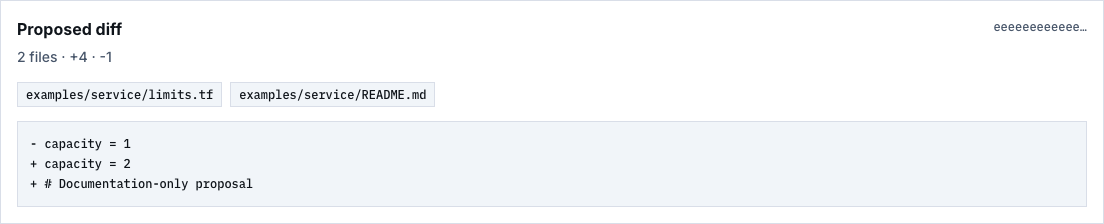
The displayed diff is a proposal, not an applied change. Protected paths, unsupported extensions, excessive size, stale evidence, unavailable Git, or missing human/specialist approval must fail closed.
Step 4: Review checks, findings, and evidence
Section titled “Step 4: Review checks, findings, and evidence”In Tests and release checks, confirm each check category, status, required flag, and duration. A mandatory failed, skipped, or timed-out check requires attention.
Then review Security and IaC findings and Evidence status. Expired or unavailable evidence weakens the review and must not be silently treated as available.

Step 5: Read limitations and Rollback
Section titled “Step 5: Read limitations and Rollback”Read every Known limitation and the Rollback summary. A rollback note is review context; it is not proof that rollback was tested or that a deployment can be safely reversed in the target environment.
Step 6: Continue in Git
Section titled “Step 6: Continue in Git”Choose Open pull request in Git only after the review snapshot matches the intended incident, repository, source commit, and patch. Complete review, approval, required checks, and merge in the Git provider.

Check your result
Section titled “Check your result”You can trace the immutable proposal to its incident, source commit, policy, bundle, evidence, checks, limitations, rollback notes, and external Git review without claiming it was approved, merged, applied, or deployed here.
Common blockers
Section titled “Common blockers”- Review link is incomplete: reopen it from the owning project flow.
- Reviewer access denied: request an authorized project review role.
- Review not found: confirm the exact project and remediation run.
- Review is being refreshed: wait and retry; do not use an older snapshot.
- Mandatory check failed: fix the proposal and create reviewed evidence.
- Git action unavailable: the server did not authorize a safe HTTPS review link.
The review UI and immutable contract do not prove a proposal API is deployed, a pull request exists, or a merge occurred. Record those only from authorized runtime and Git evidence.