
Run history and failures
Run Library retains the operational record for Terraform actions. Use it to understand status and evidence, not as a place to copy raw customer infrastructure into support notes.
- Typical time
- 5–20 minutes
- You need
- Project access
- Outcome
- A diagnosed or retained run
Step 1: Filter Run Library
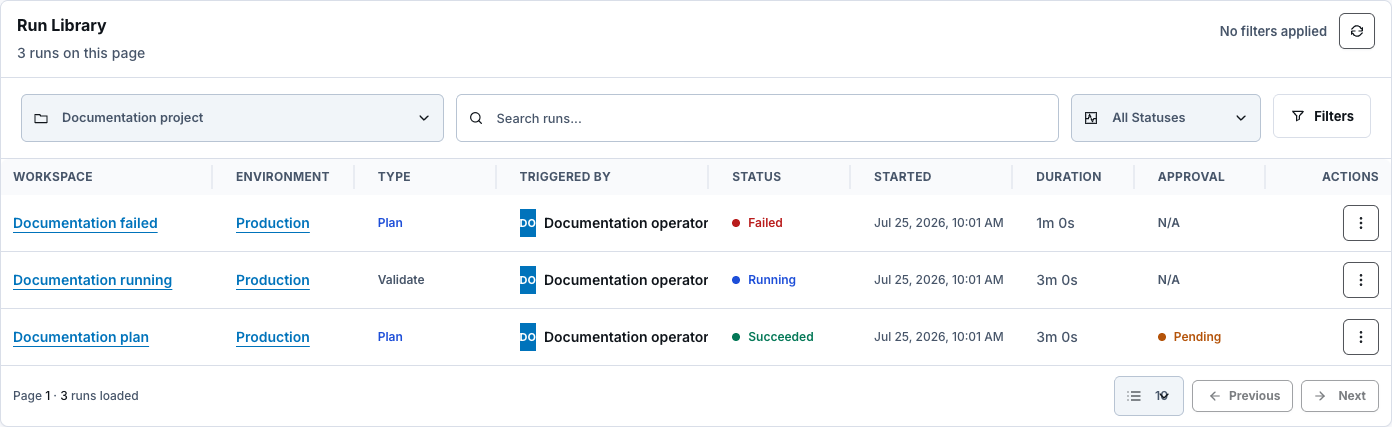
Section titled “Step 1: Filter Run Library”Use project, workspace, environment, type, status, date range, search, and cursor pagination. Summary cards show total, successful, failed, pending, and approval context for the selected project.
Step 2: Read status and timeline
Section titled “Step 2: Read status and timeline”Open View details and confirm created, started, current/terminal state, duration, actor, runner profile, and parent run.
Active states include QUEUED, STARTING, RUNNING, and CANCEL_REQUESTED. Terminal states include SUCCEEDED, FAILED, LAUNCH_FAILED, STALE_FAILED, TIMED_OUT, and canceled variants.

Step 3: Inspect the relevant evidence
Section titled “Step 3: Inspect the relevant evidence”Depending on action, open:
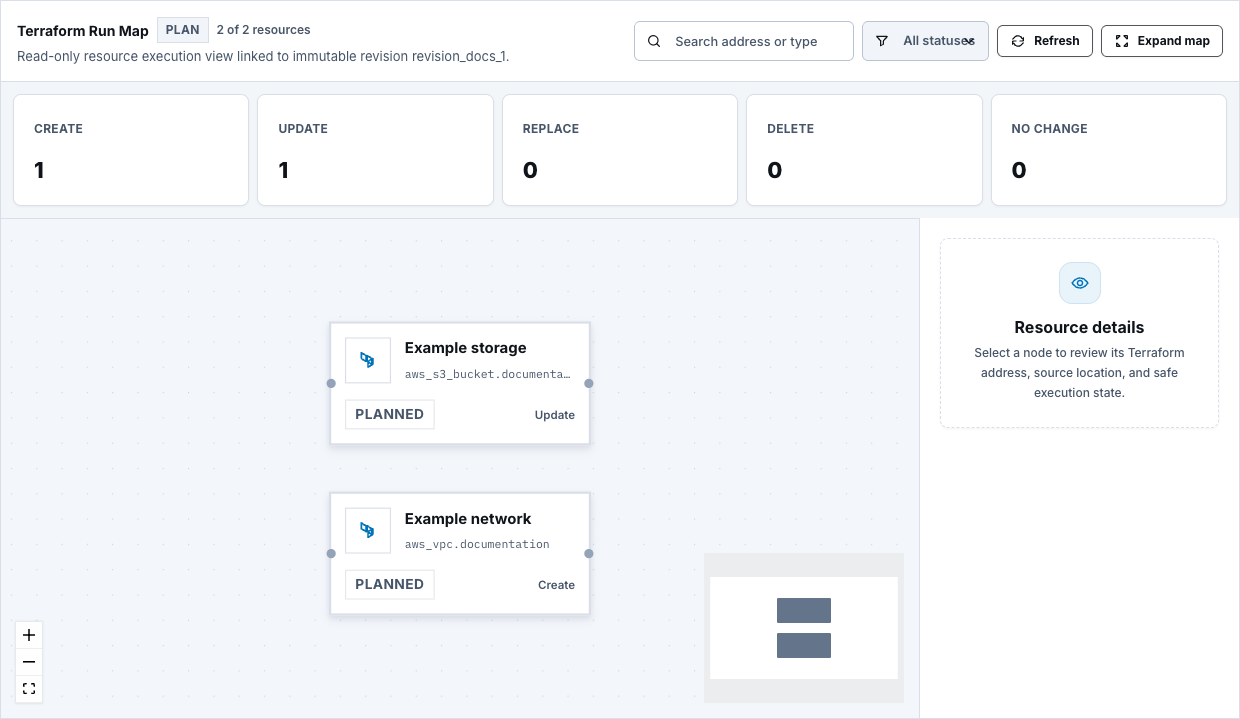
- plan summary and resource filters;
- resource map and exact resource log filter;
- policy scan and OPA result;
- Review Request and guardrails;
- cost estimate;
- safe logs and step summaries; and
- safe JSON or downloadable safe logs where permitted.
Use the smallest evidence necessary for diagnosis. Never export Terraform state or sensitive plan data.
Step 4: Recover safely
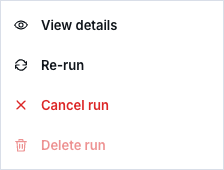
Section titled “Step 4: Recover safely”- Re-run repeats an allowed action with a new idempotent run.
- Cancel run requests cancellation for an active cancellable run.
- Fix source or workspace configuration first when the failure will repeat.
- Save a new revision and run a new plan when code changed.
- Recreate review and approval when plan evidence changed.
Step 5: Archive or remove from normal history
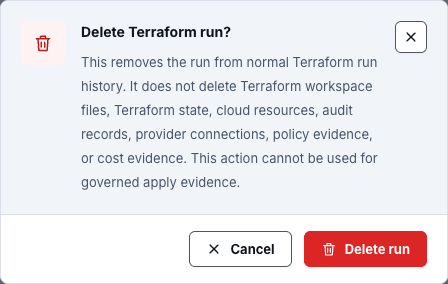
Section titled “Step 5: Archive or remove from normal history”Archive run removes the run from the active view according to allowed actions. Delete run removes it from normal Terraform run history after a confirmation.
Deleting a run does not delete Terraform state, cloud resources, audit records, or governed evidence. Specifically, the retained boundary covers:
- Terraform workspace files;
- Terraform state;
- cloud resources;
- audit records;
- provider connections;
- policy evidence; or
- cost evidence.
The action cannot be used to erase governed apply evidence.
Check your result
Section titled “Check your result”Record the run’s terminal status, safe error code or summary, corrected cause, and whether a new revision, plan, review, or apply was required. Preserve the authoritative audit and evidence chain.
Common blockers
Section titled “Common blockers”Re-run is unavailable
Section titled “Re-run is unavailable”The backend action state does not allow rerun for this run or caller. Create the appropriate new action from the latest saved revision.
Resource map is unavailable
Section titled “Resource map is unavailable”The run type, status, mapping data, or retained artifact may not support it. Use the safe run summary and logs without inferring missing resource evidence.
Deleting a run did not delete infrastructure
Section titled “Deleting a run did not delete infrastructure”That is intentional. History deletion is not a Terraform destroy operation and never removes state or cloud resources.
Raw logs contain sensitive material
Section titled “Raw logs contain sensitive material”Do not paste them into documentation or tickets. Use bounded safe summaries and follow the approved incident process.