
Audit logs
Audit Logs provides a bounded, tenant-safe view of recorded product actions. Organization owners, organization administrators, security administrators, and auditors may receive organization-wide scope; other users see only accessible projects and their permitted activity.
- Typical time
- 10–20 minutes
- You need
- Audit-read access for the event or project you need to inspect
- Outcome
- A filtered event and, when permitted, verified evidence readback
Step 1: Confirm your visible scope
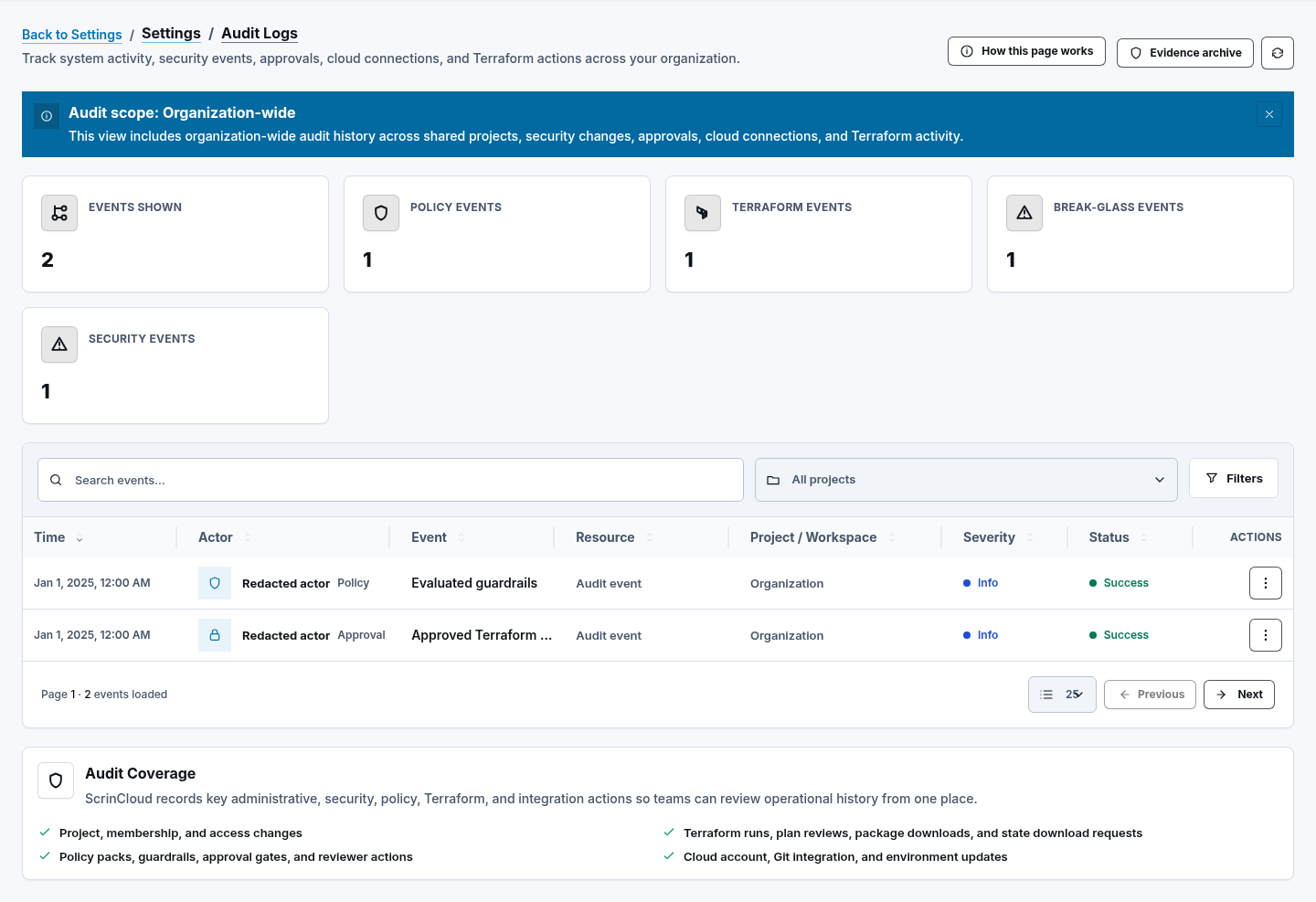
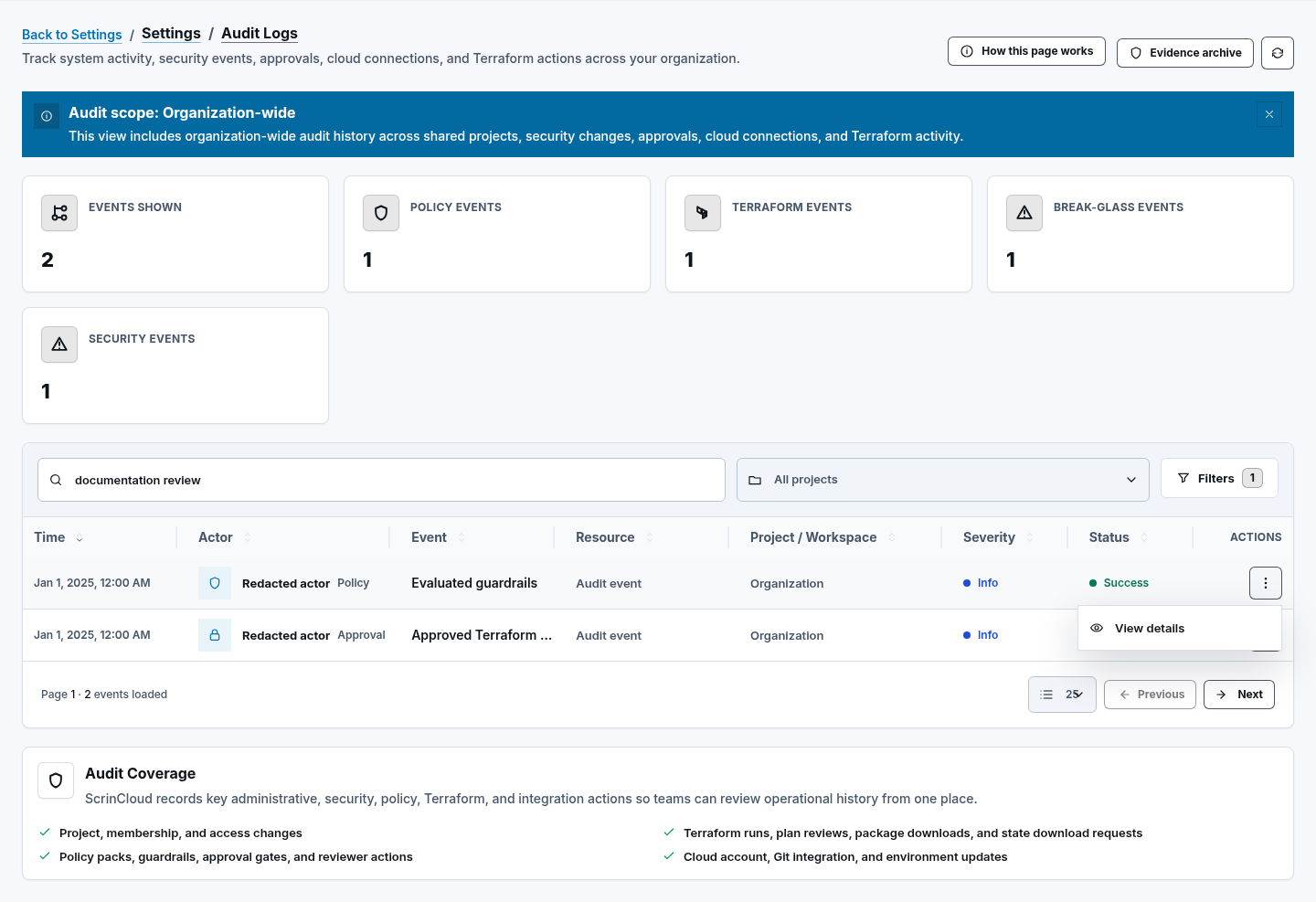
Section titled “Step 1: Confirm your visible scope”Open Governance → Audit Logs. Read the scope banner before interpreting the totals. The summary shows Events Shown, Policy Events, Terraform Events, Break-glass Events, and Security Events for the loaded page and permitted scope.
Select Refresh audit logs to reload the current filters. A lower count does not prove that no other tenant-safe events exist outside your scope or page.
Step 2: Search and filter events
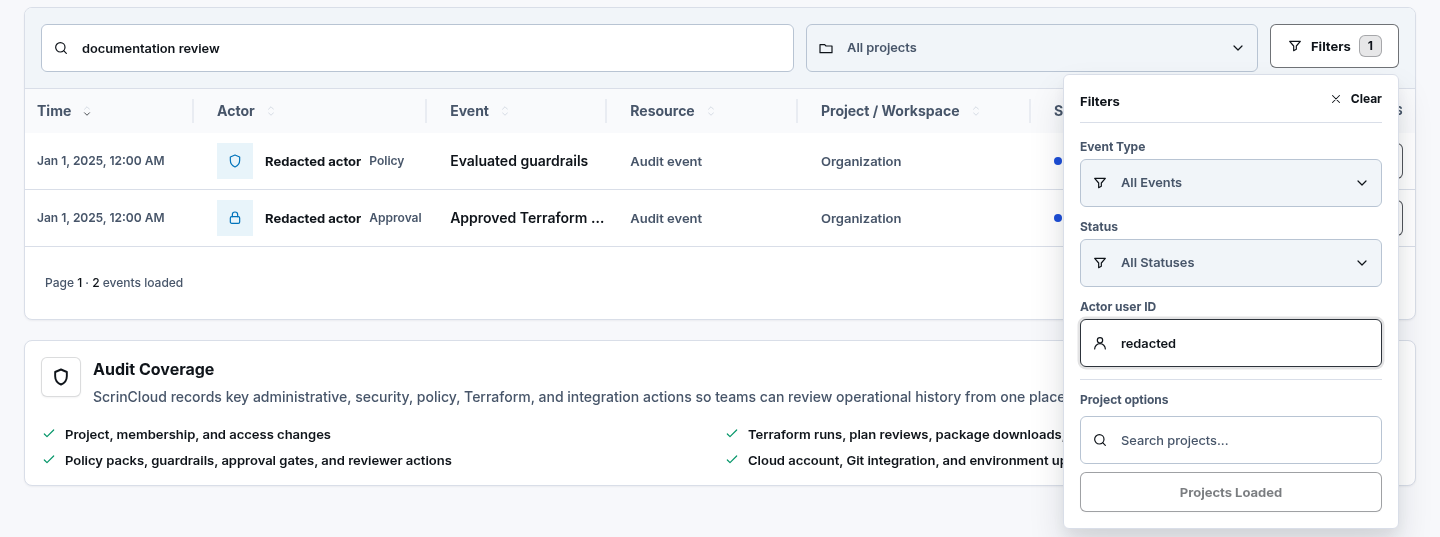
Section titled “Step 2: Search and filter events”Use Search events for the supported text fields. Open filters to choose:
- a project from All projects;
- Event Type;
- Status;
- Actor user ID.
Project choices are loaded from the backend. Search there and select Load More Projects when offered. Text search is debounced, so pause briefly after typing. Select Clear or Clear filters to restore the unfiltered view.
Step 3: Move through bounded pages
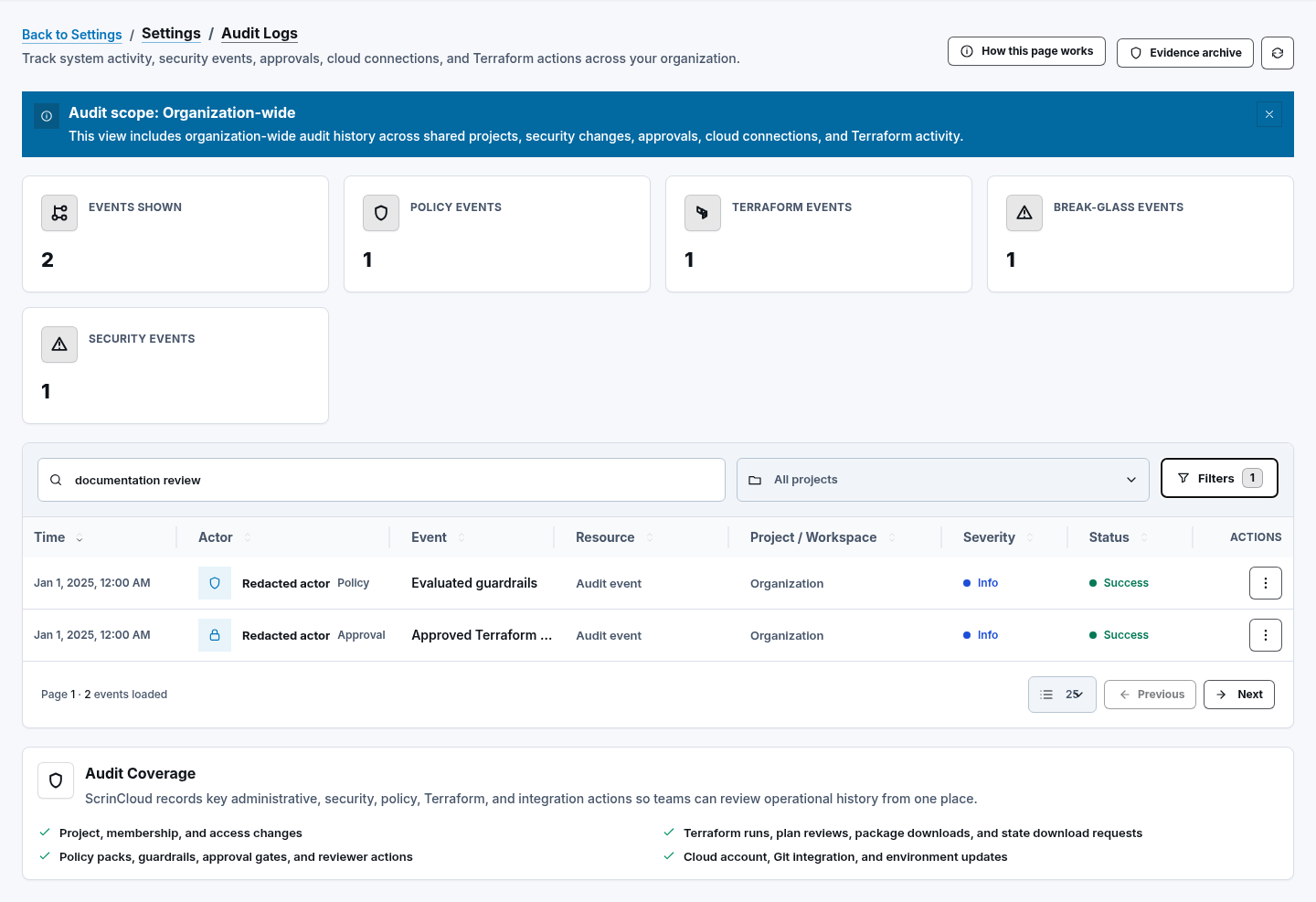
Section titled “Step 3: Move through bounded pages”Choose 10, 25, 50, or 100 rows per page. Use Previous and Next to move through the backend cursor sequence. The cursor is not shown and should never be copied into documentation or support notes.
Review Time, Actor, Event, Resource, Project / Workspace, Severity, and Status. These are safe display fields, not the full customer payload.
Step 4: Inspect one event
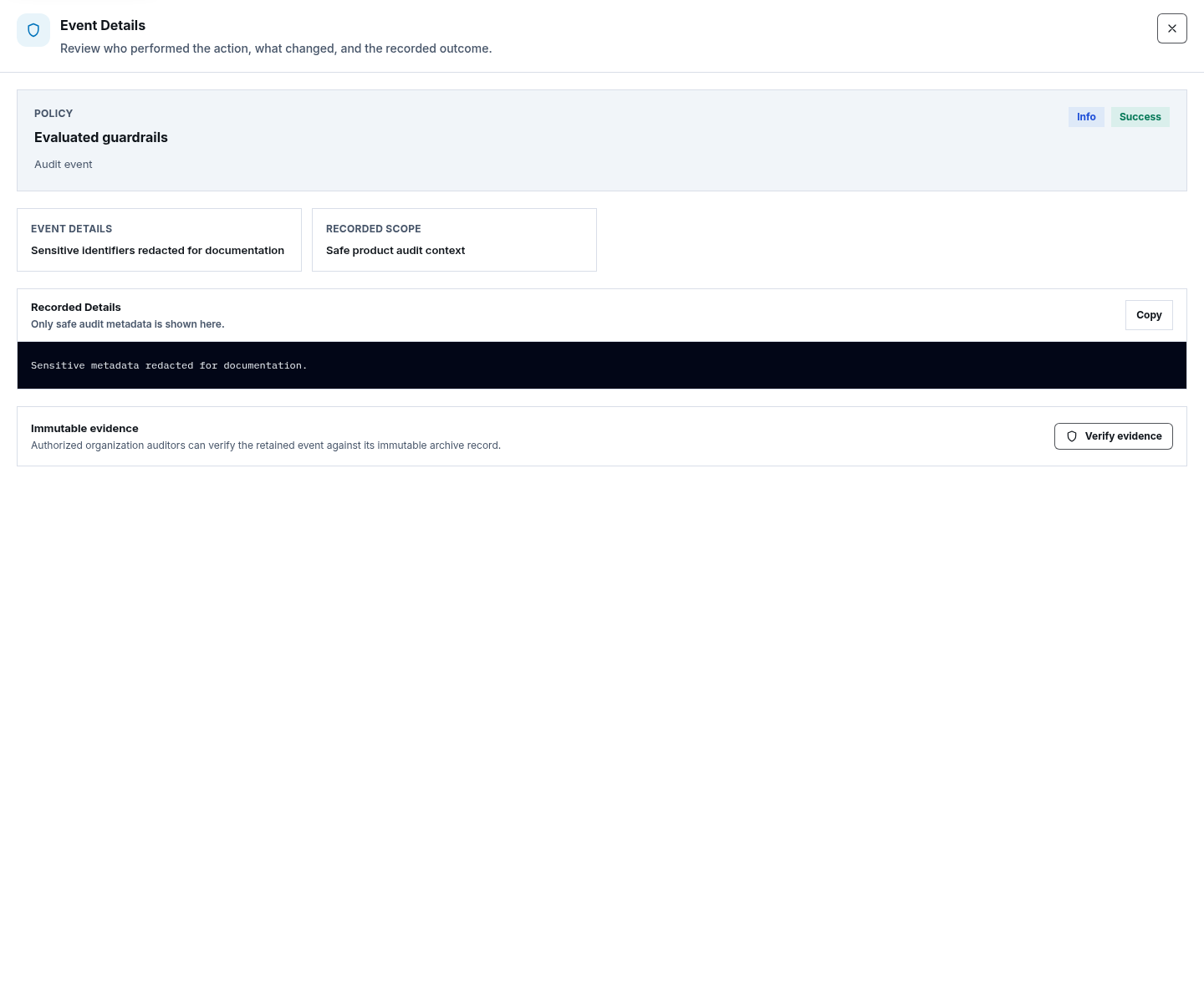
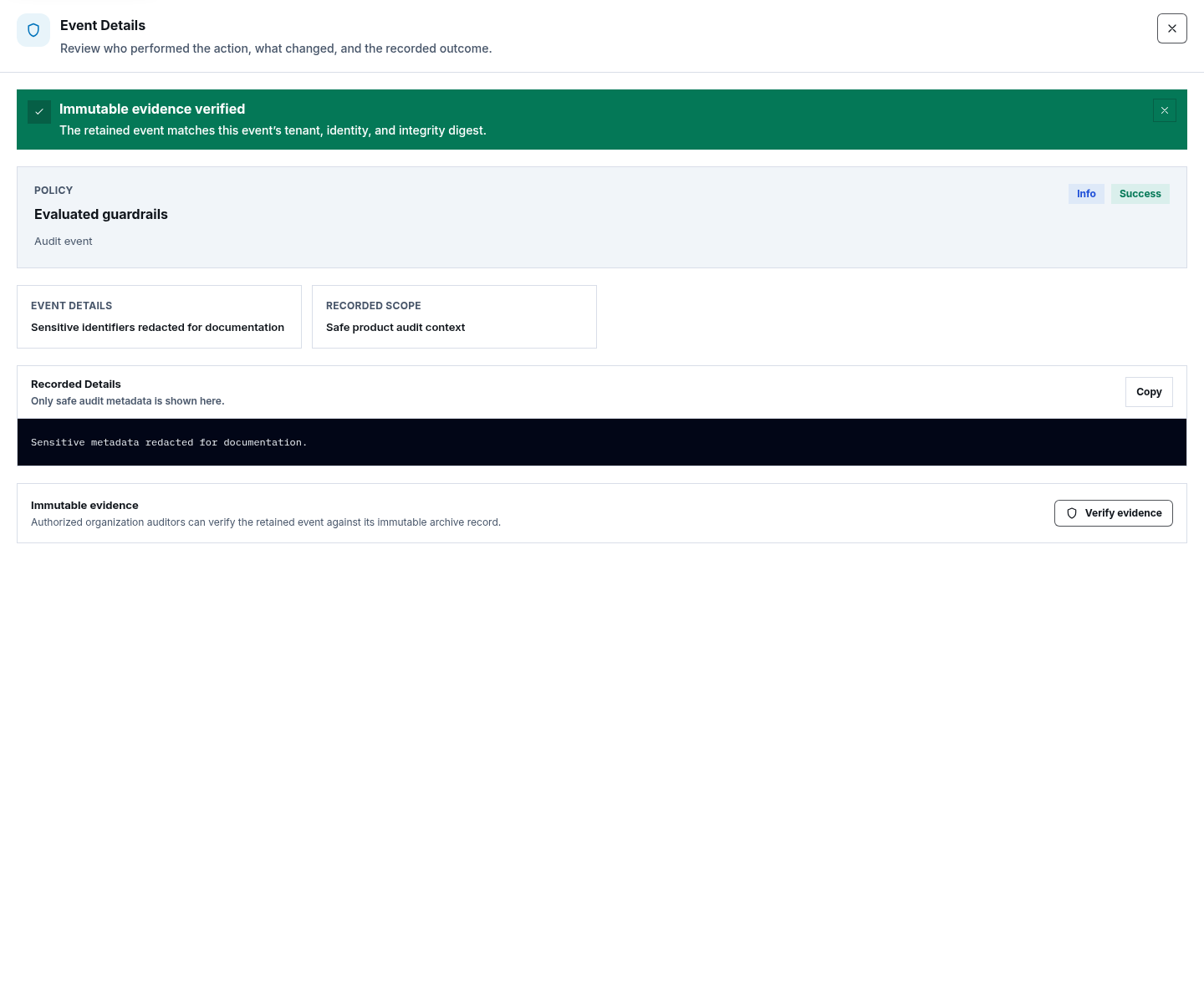
Section titled “Step 4: Inspect one event”Open a row action and select View details. The drawer may show safe fields such as Event ID, Actor, Actor Email, Timestamp, Project, Workspace, Resource, Request ID, Run ID, and Revision ID, followed by Recorded Details.
Use Copy only when the destination is approved for the data. Recorded details are intentionally bounded and redacted; do not expect secrets, tokens, credentials, one-time codes, raw provider data, or unbounded customer payloads.
Step 5: Verify immutable evidence
Section titled “Step 5: Verify immutable evidence”In event details, select Verify evidence. A successful readback shows Immutable evidence verified only after the permitted tenant identity and stored digest checks succeed.
Verification confirms integrity of the stored record. It does not prove that the original business decision was correct, grant access to its resource, or authorize the action again. The verified readback is itself auditable.
Step 6: Browse the evidence archive
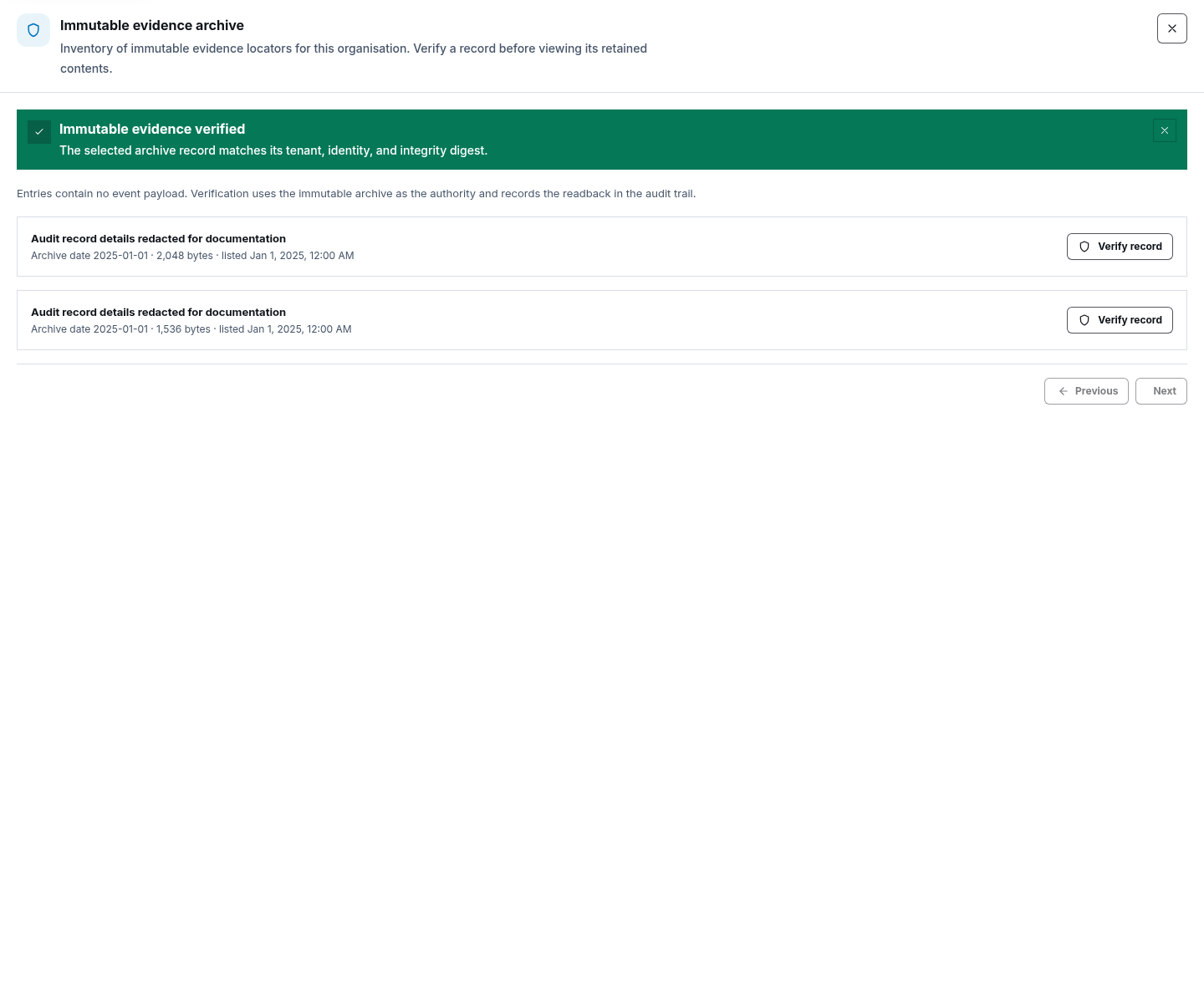
Section titled “Step 6: Browse the evidence archive”When your role permits it, select Evidence archive. The archive lists bounded record locators with date, size, and last-modified time, not raw payload contents. Use Previous and Next, then select Verify record for the entry you need.
Step 7: Respect the public action boundary
Section titled “Step 7: Respect the public action boundary”The current Audit Logs page does not expose an audit-export action, evidence deletion, or retention-management controls. Do not invent those steps or infer that a hidden backend capability is available to public users.
Archive retention, encryption, immutable storage, and deployed readback must be confirmed through approved operational evidence. Source configuration or deployment wiring alone is not that proof.
Check your result
Section titled “Check your result”The filter state and permitted scope are clear, the selected event details are bounded and redacted, and a successful evidence or archive readback shows an explicit verification result.
Common blockers
Section titled “Common blockers”- Event missing: clear filters, confirm project access and scope, then move through bounded pages.
- Evidence archive missing: your role may not include archive browsing.
- Verification failed: do not call the record verified; preserve the error state and follow the approved investigation path.
- Older event unavailable: retention and archive availability require operational confirmation, not an assumption from source code.
Without live runtime evidence, this guide establishes the supported UI and source contract only.