
Billing and plan limits
Billing settings show the organization plan and entitlements returned by the backend. These limits can affect Terraform, Cloud Cost, governance, AI, workspaces, seats, and other product capabilities.
- Typical time
- 10–20 minutes
- You need
- Organization access; billing permissions for changes
- Outcome
- A clear capacity or plan decision
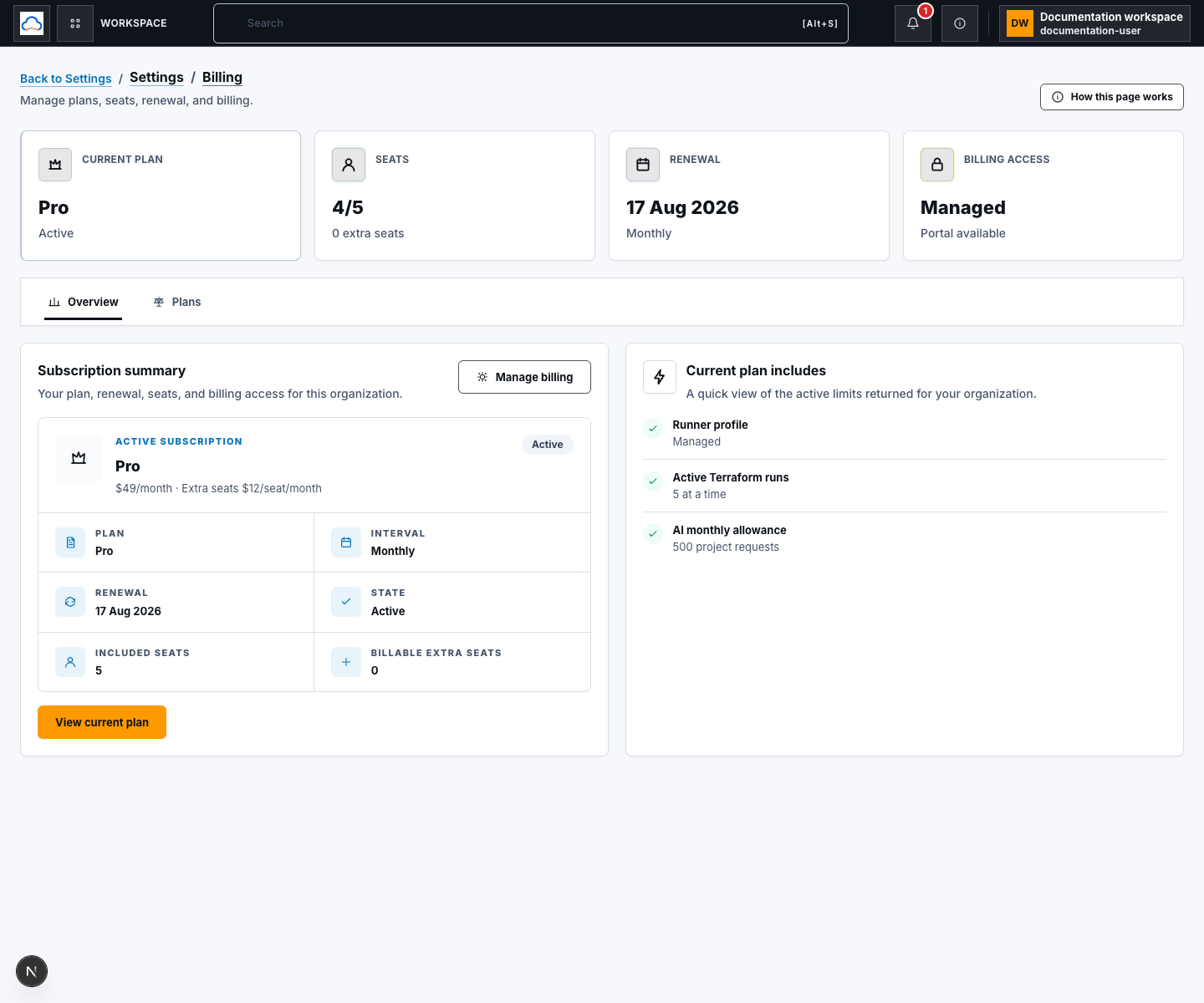
Step 1: Review subscription Overview
Section titled “Step 1: Review subscription Overview”Open billing settings and select Overview. Review the plan, interval, renewal date, subscription state, included seats, billable extra seats, usage, and available management actions. Choose View current plan for the full contract.
Step 2: Understand plan details
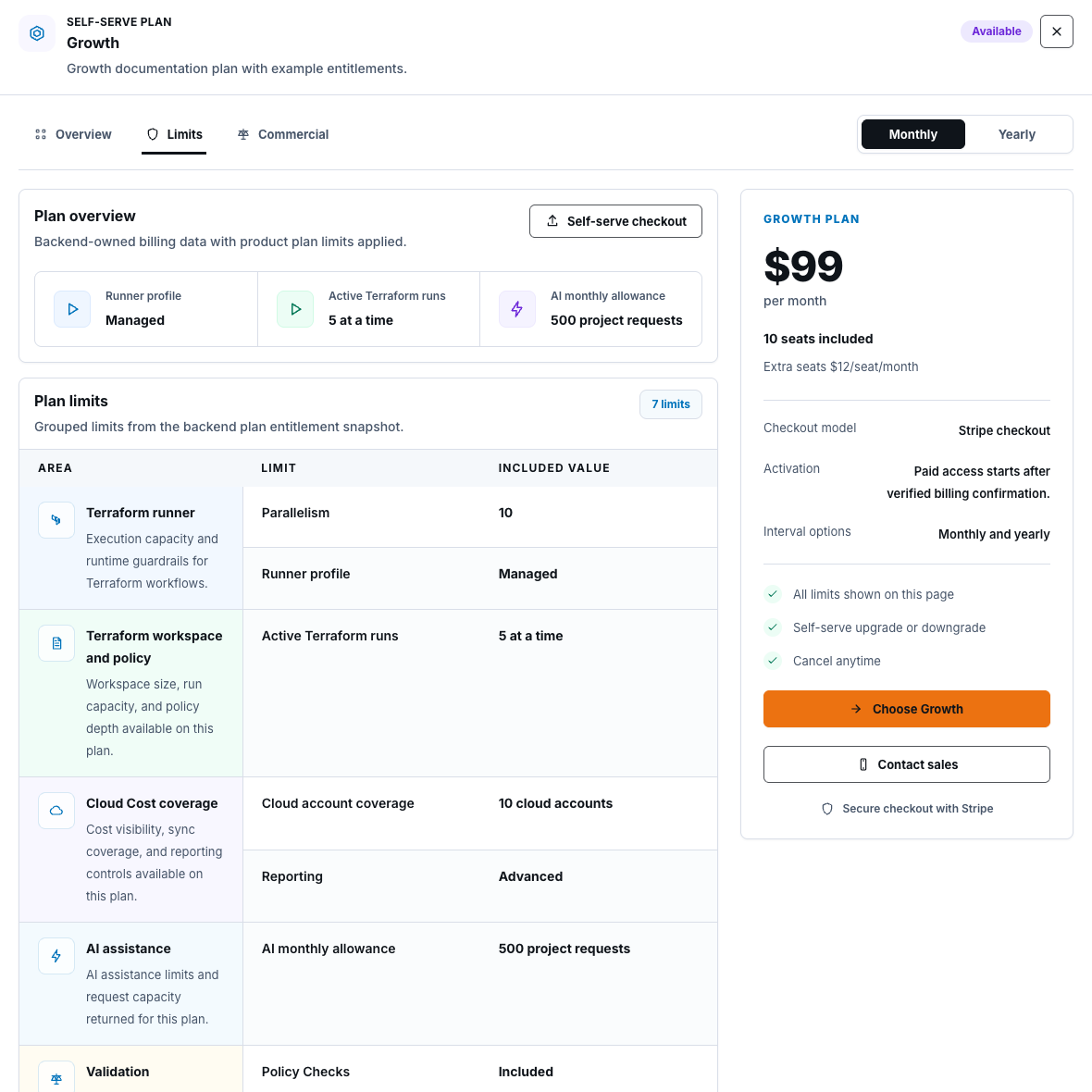
Section titled “Step 2: Understand plan details”The plan detail view separates:
- Overview — intended capabilities;
- Limits — bounded quotas and feature entitlements;
- Commercial — pricing and checkout model.
Read the limit that produced a product message before retrying. Some capacity resets over time; other limits require an administrator to reduce usage or change plan. Never disable governance, audit, authentication, approval, or provider-access controls to work around a limit.
For Cloud Cost, check manual-refresh capacity, allowed notification cadence, maximum recipients, watched-resource capacity, resource-level alert availability, scheduled-sync eligibility, and effective delivery channels. If the Configuration tab says plan limits are unavailable, do not infer capacity from the plan marketing card; wait for backend-owned entitlements.
Step 3: Change or manage billing
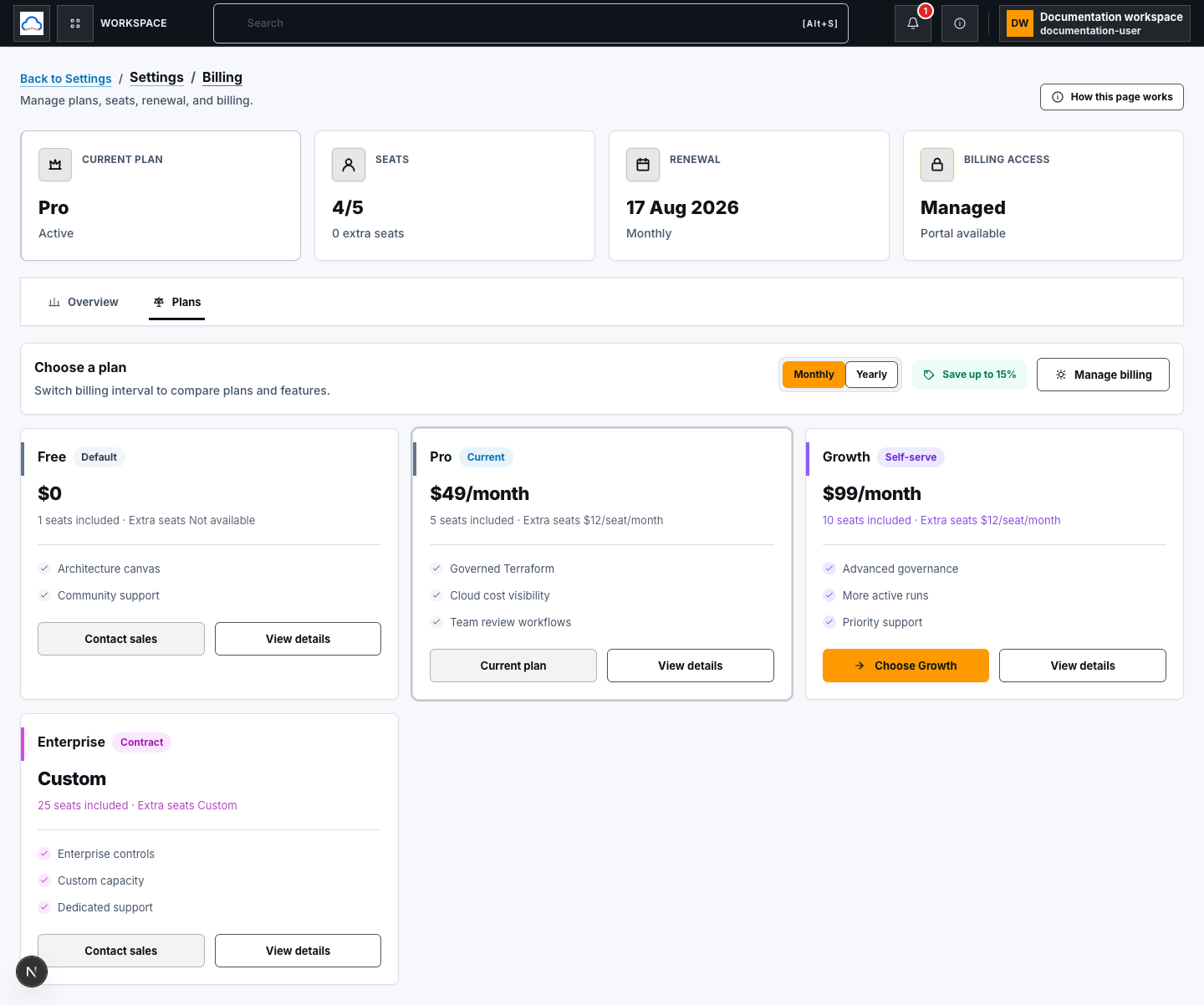
Section titled “Step 3: Change or manage billing”Open Plans, choose Monthly or Yearly, and compare included capabilities and what changes. A self-service plan can start a backend-created checkout session and redirect to the payment provider. Manage billing opens the billing portal only when the current user is authorized and the portal is available.
Paid access begins only after verified billing confirmation; returning from a checkout page is not sufficient proof. Contact Sales plans do not create a self-service checkout.
Check your result
Section titled “Check your result”You understand the current backend-reported plan, subscription state, seats, relevant limits, permission to manage billing, and the effect of the intended change.
Common blockers
Section titled “Common blockers”- Manage billing unavailable: the user may lack permission or the portal may not be configured for this subscription.
- Checkout unavailable: the plan may require Sales or the subscription state may not permit self-service changes.
- Entitlement unchanged after checkout: wait for verified billing confirmation; do not grant access based on browser return alone.
- Limit reached: reduce usage safely or ask an authorized billing admin to review plan options.
Source routes and deployment configuration do not prove checkout, portal, or webhook behavior in a live environment. Record runtime success only after an authorized test with sensitive evidence redacted.